How to Choose a Smart Home Control Panel
A wall-mounted panel replaces reaching for a phone with a fixed surface anyone in the household can use. Screen size and mounting depth determine where it can physically go, and whether it needs a recessed back box. Power delivery over Ethernet avoids a visible cable but requires a data run to the wall. The most important question is which platform the panel speaks and whether it controls devices locally or through a cloud service.
Platform Compatibility and Local Control
Panels tied to a single manufacturer’s ecosystem show only that manufacturer’s devices, which is limiting in a mixed household. Panels running a general dashboard connect to whatever your hub exposes, giving far broader coverage.
Local control determines responsiveness. Tapping a light control and waiting two seconds for a cloud round trip destroys the point of a wall panel. Confirm commands are processed on the local network before considering anything else about the device.
Screen Size, Mounting, and Placement
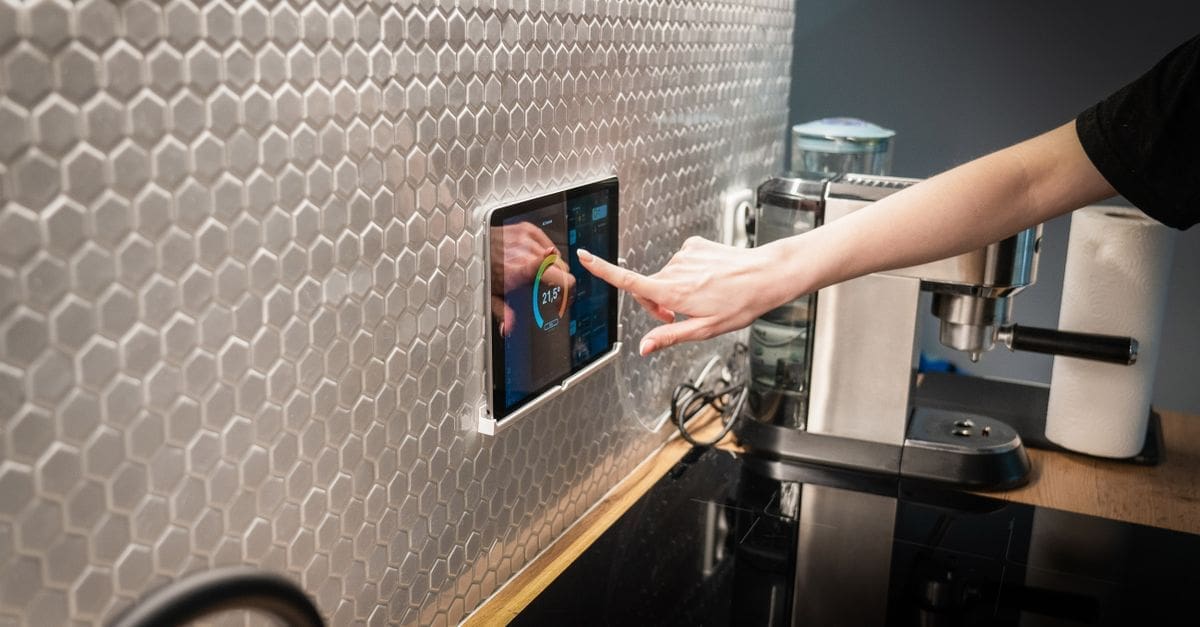
Seven to ten inch panels suit hallway and kitchen positions where you glance and tap in passing. Larger panels serve as a household hub near an entrance, showing schedules and camera feeds alongside controls.
Flush mounting into a recessed back box gives the cleanest result but requires cutting the wall and running services. Surface-mounted panels sit proud by an inch or so and install far more easily, which suits rented properties or solid masonry walls.
Power Delivery and Cabling
Power over Ethernet delivers both data and power through one cable, which is tidy and reliable but needs a switch that supports it and a data run to the panel position. This is the preferred approach in new construction or during renovation.
USB power is simpler but leaves a visible cable unless you can route it inside the wall. Some panels accept low-voltage power from existing lighting circuits with an adapter, which is worth investigating where a switch box already exists at a convenient height.
Responsiveness, Wake Behaviour, and Display
A panel that takes several seconds to wake and load defeats its purpose. Presence detection using an infrared or radar sensor wakes the screen as you approach, which feels far better than tapping to wake.
Screen brightness needs to adapt to ambient light, dimming at night and brightening in a sunlit hallway. Check whether the panel can display a clock or dashboard at low brightness rather than switching off entirely, since a black rectangle on the wall looks unfinished.
Dashboard Customisation and Household Use
The value of a panel depends on showing the right controls for its location. A kitchen panel wants lighting, timers, and a camera view; a hallway panel wants locks, alarm status, and weather.
Look for per-panel layouts rather than a single dashboard mirrored everywhere. Consider whether household members who never open the app can use it intuitively, since that is the main reason to install a fixed panel at all.
Longevity, Updates, and Repurposing
A wall-mounted device is expected to last many years, so update policy matters more than for a portable gadget. Panels running a general-purpose operating system can often be repurposed if the original software is abandoned.
Check whether the panel can run alternative dashboard software, which protects the investment considerably. Screen burn-in is a real consideration for a display showing a static layout continuously, so look for pixel-shifting or a screensaver mode.
What to Check Before You Buy
- Confirm the panel controls devices locally rather than through a cloud service.
- Check platform compatibility covers all the systems in your home, not just one brand.
- Decide between flush and surface mounting based on wall construction and permission.
- Plan power delivery, favouring Ethernet where a data run is feasible.
- Look for presence detection so the screen wakes as you approach.
- Verify dashboards can be configured per panel rather than mirrored everywhere.
- Check for burn-in mitigation and the ability to run alternative software later.
How to Choose a Smart Home Control Panel
Placement and power constrain the hardware; platform support determines whether it is useful.
- Identify where a panel would genuinely change how the household interacts with the home.
- Assess wall construction and decide between flush and surface mounting.
- Plan power and data delivery to that position.
- Confirm the panel speaks your platform and processes commands locally.
- Check screen size, wake behaviour, and ambient brightness handling.
- Review update policy and whether the hardware can be repurposed later.
Ready to shop? Browse our full list of Smart Home Control Panels to compare current options and prices.