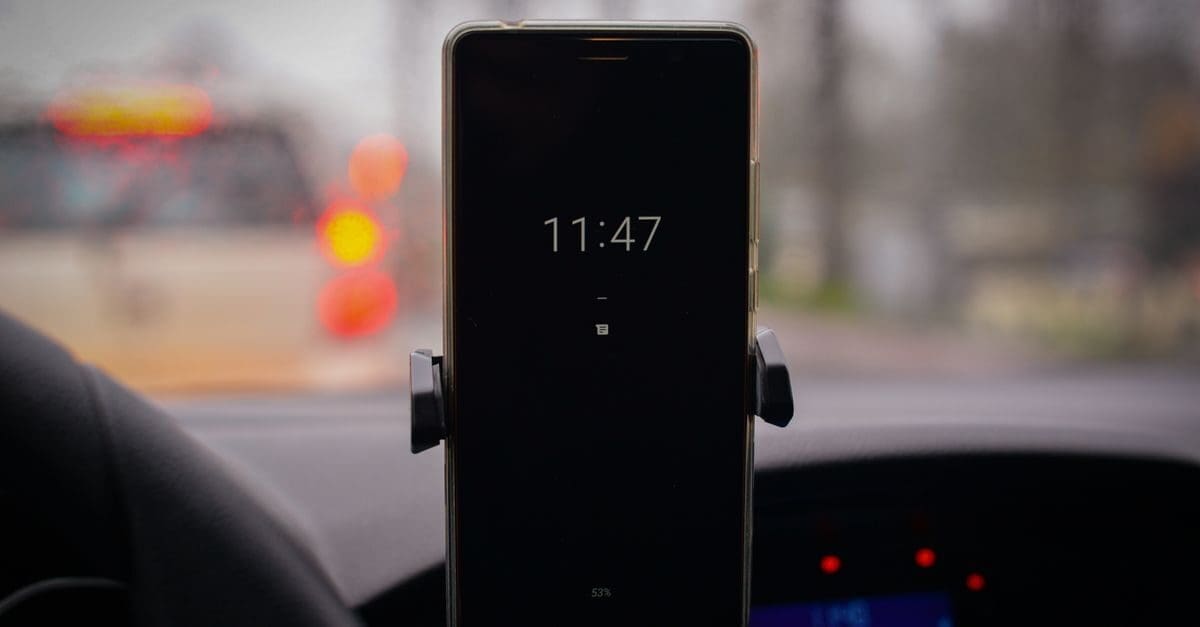
How to Choose a Car Phone Mount
Mounting location determines sightlines, legality in some jurisdictions, and how easy the phone is to reach. Grip mechanism decides whether docking takes one hand or two, which matters more than it sounds when you are holding coffee. Vibration damping affects both readability and, on some phones, camera stabilization. Weight capacity and arm rigidity should match a large phone in a heavy case.
Mount Location: Vent, Dash, Windshield, and Cup Holder
Vent mounts fit in seconds and place the phone near eye level, but they hang weight on the louvers and blow air directly at the device. Some vent designs simply cannot support a large phone.
Dash and windshield mounts hold more securely, though windshield placement may be restricted by local law and can obstruct the view. Cup holder mounts are rock solid but place the phone low, requiring you to look down.
Grip Mechanism and One-Handed Use
Spring clamps grip any phone reliably and need no power, but inserting the device usually takes two hands. That is awkward at a traffic light.
Magnetic mounts dock instantly with one hand and need a compatible phone or an adapter plate. Motorized auto-clamping arms open on sensing the phone, offering one-handed use at the cost of a motor and a power connection.
Vibration, Arm Length, and Rigidity
Long flexible arms wobble over rough surfaces, making the screen hard to read and the phone hard to tap. Short, rigid arms hold the phone steady where you put it.
Sustained high-frequency vibration can affect the optical image stabilization in some phone cameras. If your phone lives on a mount daily, a damped or rigid mount protects that hardware.
Weight Capacity and Case Compatibility
Large phones in protective cases weigh considerably more than the device alone, and cheap mounts sag under that load. Check the stated capacity and the clamp jaw range.
Thick cases and those with rear camera bumps can prevent a clamp from closing evenly. Magnetic mounts need a metal plate or a compatible case, which some folio cases rule out entirely.
Adjustability and Sightlines
A ball joint with a firm lock lets you angle the screen toward the driver without it drifting. Joints that loosen over time are a common failure point on inexpensive mounts.
Position the phone so it does not obscure the road or any instrument. A mount that requires you to look away from the windshield defeats the purpose of having navigation visible.
Heat, Charging, and Cable Management
Mounts that block the phone’s back panel trap heat, which matters when running navigation on a hot day. Open-frame designs allow airflow around the device.
If the mount includes charging, check whether the cable routes tidily to a socket. A cable stretched across the dash is both untidy and a snag hazard when reaching for controls.
What to Check Before You Buy
- Choose a mounting location that keeps sightlines clear.
- Check local rules on windshield placement.
- Prefer a grip mechanism you can operate one-handed.
- Favor short rigid arms over long flexible ones.
- Confirm the capacity suits a large phone in a case.
- Check case thickness and camera bump against the clamp.
- Look for a ball joint that locks firmly without drifting.
- Plan cable routing if the mount also charges.
How to Choose a Car Phone Mount
Match the mount to your dashboard layout and your phone’s size, then judge how easily you can dock it without looking.
- Assess your vents, dash surface, and windshield for mounting.
- Check any local restrictions on windshield placement.
- Weigh your phone in its case and compare to the capacity.
- Choose a grip type suited to one-handed docking.
- Test arm rigidity and joint locking if possible.
- Plan the position so the road and instruments stay visible.
Ready to shop? Browse our full list of Car Phone Mounts to compare current options and prices.