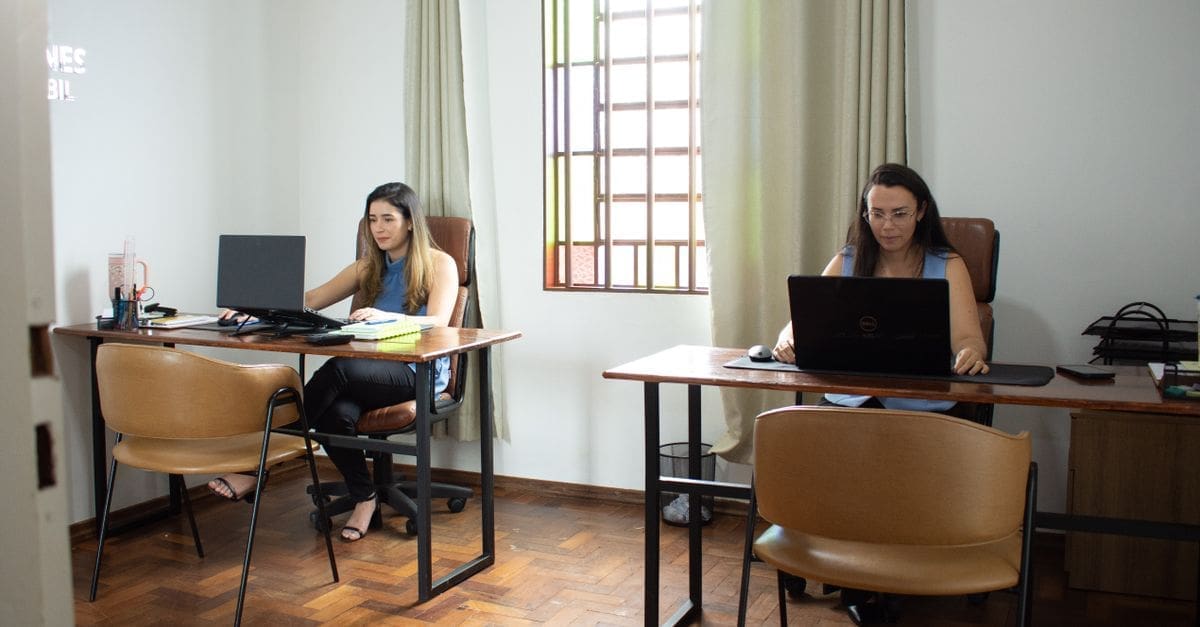
What to Know Before Buying a Small Desk
Fitting a work surface into a corner, alcove, or bedroom means every inch of depth counts. Usable depth of twenty-four inches supports a monitor at a comfortable viewing distance, while eighteen inches pushes the screen uncomfortably close unless you mount it on an arm. Frame stability matters more on a narrow desk because there is less footprint resisting sway. Cable routing and storage decide whether the surface stays clear enough to actually use.
Footprint, Depth, and Monitor Distance
Width between forty and forty-eight inches accommodates a laptop plus a notebook, while anything under thirty-six inches usually means choosing between the two. Measure the wall space including any baseboard or radiator that stops the desk sitting flush.
Depth is the constraint that bites hardest. Twenty-four inches puts a twenty-seven-inch monitor at a workable distance, but at eighteen inches you will either need a monitor arm to push the screen back over the edge or accept a smaller display.
Height and Ergonomic Fit
Fixed desks typically sit at twenty-nine or thirty inches, which suits people around five foot ten and leaves shorter users reaching upward. Pairing a fixed height with an adjustable chair and a footrest solves most of that mismatch.
Height-adjustable frames add cost and weight but let one desk serve several users or accommodate both seated and standing work. On a narrow desk, check the lifting capacity carefully, since compact frames sometimes carry lower load ratings than full-size versions.
Frame Stability and Wobble
A narrow surface gives the frame less leverage to resist side-to-side movement, so cross-bracing or a wide foot design matters. Four-leg frames with a rear stretcher stay noticeably steadier than unbraced designs when you type quickly.
Steel frames handle load and lateral force better than aluminium at this size, and welded joints resist loosening more than bolted ones. Adjustable levelling feet correct for uneven flooring, which is a common source of rocking that gets blamed on the desk itself.
Surface Material and Finish
Solid wood resists dents and can be sanded and refinished, though it costs more and reacts to humidity swings. Engineered board with a laminate or melamine surface keeps the price down and resists scratching well until the edge banding lifts.
Bamboo sits between the two, offering reasonable hardness at moderate cost with a lighter panel weight. Matte finishes hide fingerprints and reduce glare from overhead lighting, which is worth considering if the desk faces a window or sits under a downlight.
Storage, Cable Management, and Accessories
Built-in drawers eat into knee clearance on a compact desk, so an under-desk shelf or a separate rolling unit often preserves more usable legroom. Measure the space between the underside of the surface and your thighs before committing to a drawer.
Grommet holes or a rear cable channel keep power bricks off the floor and stop cables dragging the desk out of alignment. Some compact desks include a mounting-compatible rear edge, which matters if you plan to clamp a monitor arm or a light.
Assembly, Weight, and Mobility
Flat-pack compact desks usually assemble in under an hour with basic tools, though frames with pre-assembled legs cut that considerably. Check the shipping weight if you live up stairs, since a solid wood top can exceed sixty pounds on its own.
Casters make a small desk easy to reposition for cleaning or to change the light, provided at least two lock. If the desk needs to move regularly, prioritise a frame rated for rolling rather than adding aftermarket wheels that raise the height unevenly.
What to Check Before You Buy
- Measure the alcove or wall run including baseboards, radiators, and any door swing.
- Confirm usable depth supports your monitor size, or plan for an arm to gain clearance.
- Check knee clearance under any drawer or apron before assuming the space works.
- Look for cross-bracing or a rear stretcher if you type quickly or work on an uneven floor.
- Verify the load rating covers your monitor, dock, and anything else that lives on the surface.
- Check for grommets or a cable channel so power supplies do not sit on the floor.
- Note the shipping weight and assembly requirements against your access and tools.
How to Choose a Small Desk
Measurements first, then stability, then everything else falls into place.
- Measure the available width, depth, and height clearance including obstructions.
- Decide the minimum monitor distance you can work at comfortably.
- Choose between fixed and adjustable height based on who will use the desk.
- Compare frame designs for bracing and levelling feet.
- Select a surface material that matches your durability needs and lighting conditions.
- Plan storage and cable routing so the working area stays clear.
Ready to shop? Browse our full list of Small Desks to compare current options and prices.