What to Know Before Buying a Desk Mat
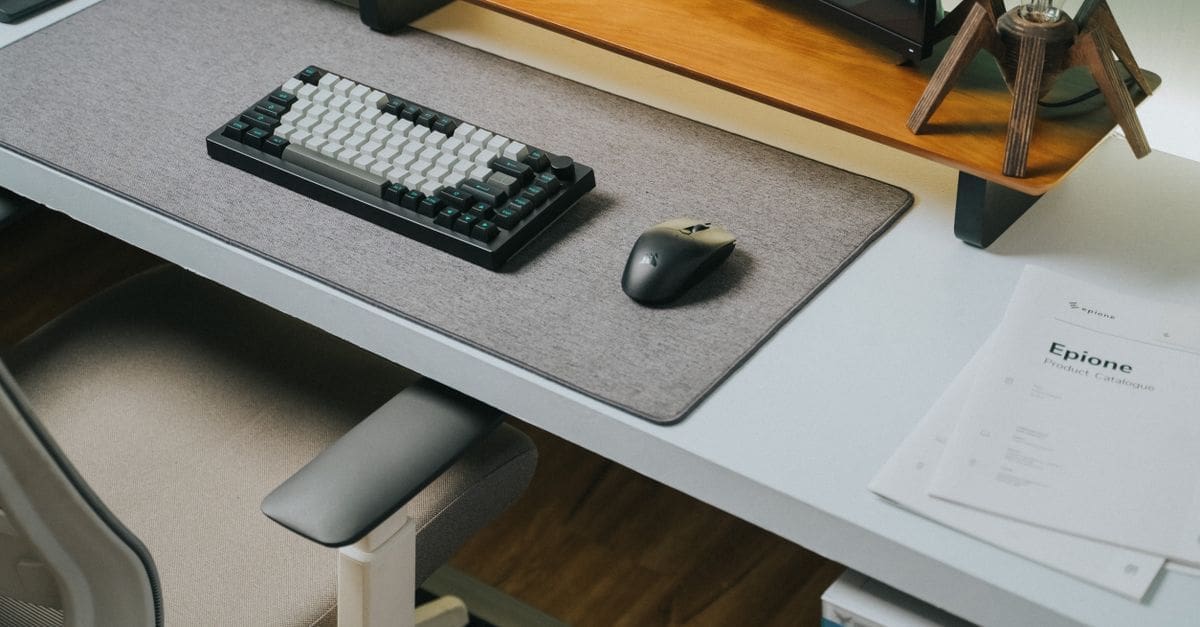
A desk mat covers a large portion or all of a desk surface, protecting it from scratches and spills while providing a consistent surface for a mouse and a comfortable resting area for wrists and arms. The right desk mat depends on the size of your desk, whether mouse tracking performance matters for your use (gaming, design, or general productivity), the material you prefer on your skin, and how the mat performs with the specific desk surface you have. A mat that doesn’t stay put, buckles at the edges, or pills after a few months quickly becomes more frustrating than helpful.
Size and Desk Coverage
Desk mats come in standard sizes from small (14 by 10 inches) to XL extended (47 by 24 inches or larger). An extended mat that covers the entire desk from edge to edge creates a unified, clean look and protects more of the desk surface. A smaller pad under the mouse and keyboard is less expensive but leaves the rest of the desk exposed.
Measure your desk before selecting a size. Most standard straight desks are 47 to 72 inches wide and 24 to 30 inches deep. An XL mat at 47 by 24 inches fits most single-monitor setups. For wider dual-monitor setups, a mat in the 55 to 63-inch range is more appropriate. Mats that hang over the desk edge buckle and create an uneven surface, so buy to fit within the desk boundaries.
Surface Material and Mouse Performance
Cloth surface mats are the most common choice. They’re soft, comfortable under wrists and hands, and provide good mouse tracking for optical sensors. Speed cloth (smooth weave) allows fast mouse movement with less friction; control cloth (tighter weave) slows the mouse slightly for more precision. For gaming, the cloth surface type matters significantly; for general office use, the difference is minimal.
Leather and PU leather mats are more water-resistant and easier to wipe clean than cloth, but provide a harder, slicker surface that some people find uncomfortable under bare arms for long sessions. They have a premium look but may not provide the same mouse tracking performance as quality cloth mats. Cork mats are eco-friendly, naturally antimicrobial, and provide a natural-feeling surface but are less durable than cloth.
Base Grip and Stability
The underside of the mat must stay in place during use. Rubber bases provide the most secure grip on desk surfaces and are standard on quality mats. The thickness of the rubber backing affects grip—thicker backing (2 to 4mm) holds more securely than thin coatings. On glass desks, rubber bases grip less effectively; silicone-based backing performs better on smooth surfaces.
Mats that shift or curl at the corners are the most common complaint in user reviews. Mats with stitched edges (fabric surround sewn around the perimeter) hold their shape better and resist curling longer than heat-pressed or glued edges. Stitched-edge mats cost slightly more but remain flat and well-defined at the edges through extended use and washing.
Thickness and Surface Feel
Desk mat thickness ranges from 2mm to 5mm. Thinner mats (2 to 3mm) feel closer to the desk surface and are lighter; thicker mats (4 to 5mm) provide more cushioning under wrists and absorb more shock. For extended typing or mouse use, a slightly thicker mat reduces wrist pressure over long sessions. Thicker mats may also help level minor desk surface irregularities.
Surface texture affects how the mat feels under bare forearms and how the mouse sensor tracks. Micro-texture cloth is less likely to show dirt and finger oils than smooth cloth but may feel slightly rough under delicate skin. Smooth cloth mats feel silkier and look cleaner but show grime faster. Either surface type performs well for most users.
Cleaning and Durability
Cloth desk mats accumulate oils, dust, and crumbs from daily use. Machine-washable mats (gentle cycle, cold water, air dry) are significantly easier to maintain than hand-wash-only versions. Avoid putting desk mats in the dryer—the heat can delaminate the rubber base from the cloth. Washing every 3 to 6 months maintains appearance and hygiene without accelerating wear.
Leather and PU leather mats wipe clean with a damp cloth for routine maintenance, which is easier than washing a cloth mat but doesn’t address deep-set dirt as effectively. Check the surface durability—some PU leather mats peel or crack within a year of daily use, particularly at areas that flex frequently. Look for mats with high-quality PU leather rated for extended daily use.
What to Check Before You Buy
- Measure your desk to choose a mat size that fits within the desk boundaries without overhanging
- Choose cloth for comfortable wrist rest and mouse tracking; leather or PU for easy cleaning
- For gaming or precision mouse use, choose cloth surface type: speed for fast movement, control for precision
- Look for stitched edges to prevent curling and extend the mat’s shape over time
- Confirm rubber base provides adequate grip on your specific desk surface material
- Select machine-washable construction if hygiene maintenance is a priority
- Choose 3 to 4mm thickness for comfortable wrist cushioning during extended desk sessions
How to Choose a Desk Mat
Measure your desk first, then choose surface material based on your use case and cleaning preferences.
- Measure desk width and depth to determine the appropriate mat size
- Choose surface material: cloth for mouse performance and comfort, leather for easy cleaning
- Select cloth surface texture based on use: speed cloth for fast mouse movement, control for precision
- Check for stitched edge construction for shape retention over time
- Confirm base material grips your desk type (rubber for wood/painted surfaces, silicone for glass)
- Verify machine-washability if you want easy cleaning maintenance
Ready to shop? Browse our full list of Desk Mats to compare top-rated options.