How to Choose a Smart Thermostat
A connected thermostat can trim heating and cooling bills, but only if it matches your system’s wiring and controls it intelligently, so compatibility and scheduling smarts outweigh screen looks. How it senses occupancy, whether it needs a common wire, and how it learns your routine decide the savings. Support for your heating type is the first gate. Matching the thermostat to your system and habits prevents a device that either will not power on or never actually saves anything.
System Compatibility and Wiring
The first question is whether the thermostat supports your heating and cooling type, since heat pumps, multi-stage systems, and radiant or boiler setups differ in what they need. A thermostat built for a simple furnace may not control a heat pump’s auxiliary heat correctly.
Many smart thermostats need a common wire to power their display and radios, and homes without one require an adapter or a spare conductor. Check your existing wiring against the thermostat’s requirements before buying, as this is the most common reason an installation stalls.
Scheduling and Learning
Some thermostats learn your patterns and build a schedule automatically, while others expect you to set one, and both can save energy when configured well. The savings come from not heating or cooling an empty house, so the scheduling approach that you will actually maintain is the right one.
Look for flexible schedules that differ by day and time, plus easy temporary holds that do not overwrite the routine. A thermostat that fights your adjustments or hides the schedule behind confusing menus tends to get set to a fixed temperature, erasing its advantage.
Occupancy Sensing and Geofencing
Motion sensors and phone-based geofencing let the thermostat ease off when the house is empty and return it to comfort before you arrive. Geofencing depends on your phone and location settings, so its reliability varies with how consistently you carry the device.
Remote sensors placed in rooms you use let the thermostat balance temperature toward where people actually are rather than the hallway where it is mounted. That addresses the common complaint of a comfortable landing and a cold bedroom.
Energy Reporting and Efficiency
Usage reports show how much you run the system and how weather and settings affect it, turning vague bills into something you can act on. Some thermostats suggest schedule tweaks or highlight when a small change would save meaningfully.
Features like a compressor lockout to protect a heat pump and smart pre-heating that uses the cheapest hours add efficiency beyond simple scheduling. Weigh these against complexity, since the savings depend on the features being configured correctly rather than merely present.
Local Control and Reliability
A thermostat controls essential comfort, so it must work fully from its own controls when the internet drops rather than becoming a blank panel. Onboard schedules and a responsive local interface keep the system running during an outage.
Consider how the thermostat behaves in extreme weather and whether it holds a safe minimum temperature to prevent frozen pipes. Reliability and a clear manual override matter more here than in most connected devices, since a failure has real consequences.
Display, Controls, and Integration
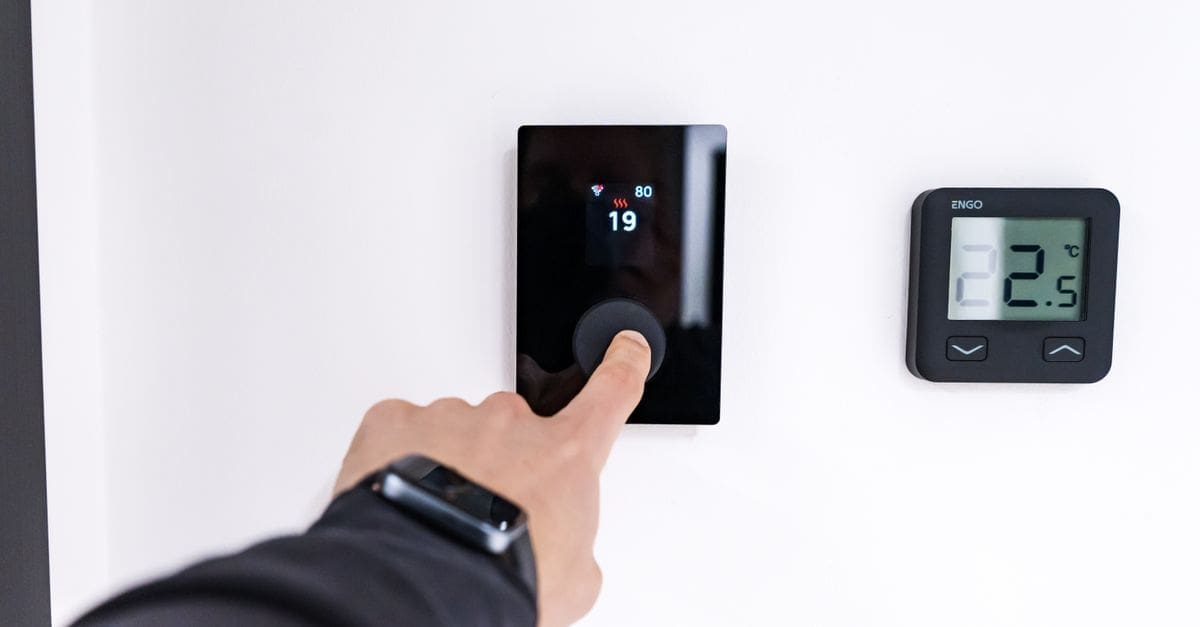
A clear display readable across the room and simple controls suit every household member, not just the person with the app. A dial, buttons, or touchscreen each suit different preferences, and the wrong choice frustrates daily use.
Integration with voice assistants and wider automations lets the thermostat participate in routines, such as easing back when an alarm arms. Confirm it works with the ecosystem you use, and favour Matter support to avoid locking your heating control to one platform.
What to Check Before You Buy
- Confirm support for your exact heating and cooling type, including heat pumps and multi-stage systems.
- Check your wiring for a common wire or plan for an adapter before purchase.
- Choose a scheduling approach, learning or manual, that you will actually maintain.
- Consider geofencing and remote sensors to match comfort to where people are.
- Look for energy reporting that translates into actionable savings.
- Ensure the thermostat works fully offline with a clear manual override.
- Verify voice-assistant and Matter support for your ecosystem.
How to Choose a Smart Thermostat
Start with your heating system and wiring, then weigh scheduling intelligence and reliability against price.
- Identify your heating and cooling type and confirm the thermostat supports it.
- Check for a common wire or arrange an adapter before buying.
- Decide whether learning or manual scheduling fits your routine.
- Add geofencing or remote sensors if comfort varies room to room.
- Confirm offline operation and a straightforward manual override.
- Verify ecosystem and Matter compatibility, then compare energy reporting.
Ready to shop? Browse our full list of Smart Thermostats to compare current options and prices.